
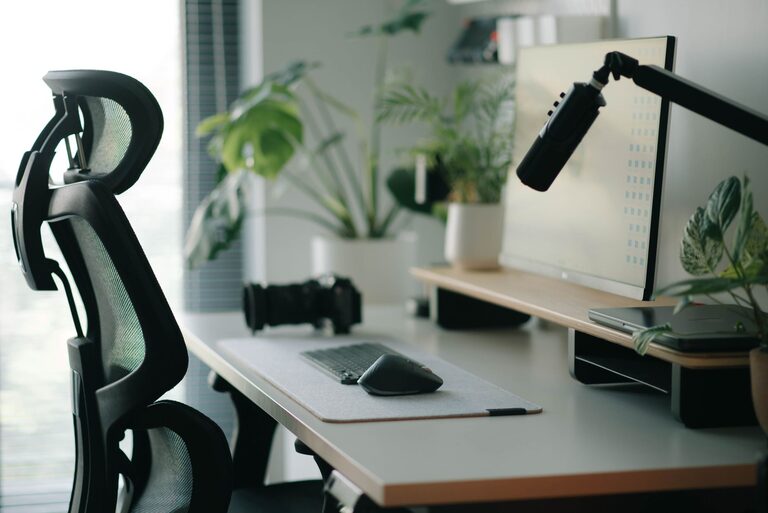
Creating an effective desk setup is essential for maintaining focus and comfort, whether you’re working from home, studying, or managing other tasks. A well-organized and ergonomic workspace can reduce distractions, prevent discomfort, and improve your overall productivity. This article offers practical tips to help you design a desk setup that supports both your concentration and physical well-being.
Choose the Right Desk and Chair
Desk Selection
Your desk is the foundation of your workspace. Aim for a desk with enough surface area to hold your essential items—like your computer, notepad, and other tools—without feeling cluttered. Consider these factors when choosing your desk:
– Height: A standard desk height is about 28-30 inches, but adjustable desks are great if you want to switch between sitting and standing.
– Surface space: Ensure there’s enough room to spread out your materials comfortably.
– Storage: Drawers or shelves can help keep things organized and within reach.
Ergonomic Chair
An ergonomic chair supports your posture and reduces strain on your back and neck. Look for features such as:
– Adjustable height to align your feet flat on the floor.
– Lumbar support to maintain the natural curve of your spine.
– Comfortable cushioning and breathable fabric.
– Adjustable armrests to keep your arms relaxed.
Arrange Your Desk for Comfort and Efficiency
Position Your Monitor Correctly
Your computer screen is central to your work, so its placement matters. Follow these tips:
– Place the monitor at eye level to prevent neck strain.
– Position the screen about an arm’s length away.
– Avoid glare by situating your monitor perpendicular to windows or bright lights.
Keyboard and Mouse Placement
Place your keyboard and mouse close enough so you don’t have to stretch your arms forward. Your elbows should be at roughly a 90-degree angle, and your wrists should remain straight to avoid strain.
Use a Document Holder
If you often refer to papers or books, a document holder next to your monitor can minimize neck movement and help you stay focused.
Optimize Lighting for Focus
Good lighting reduces eye strain and keeps you alert.
– Natural light: Set up your desk near a window if possible, but avoid direct sunlight on your screen.
– Task lighting: Use a desk lamp with adjustable brightness and color temperature to complement ambient light.
– Avoid harsh overhead lights that cause glare.
Keep Your Desk Organized
A clutter-free desk helps maintain focus by reducing visual distractions.
Use Storage Solutions
– Desk organizers for pens, paperclips, and small tools.
– File trays or vertical folders to manage documents.
– Cable organizers to keep cords neat and prevent tangling.
Daily Tidying Habit
Spend a few minutes at the end of each day to clear your desk, so you start fresh the next morning.
Add Comfort Enhancements
Footrest
If your feet don’t reach the floor comfortably, use a footrest to maintain good posture.
Wrist Support
Consider wrist pads for your keyboard and mouse to reduce pressure.
Personal Touches
Adding plants, photos, or artwork can make your workspace more inviting, boosting your mood and motivation without causing clutter.
Maintain Good Posture and Take Breaks
Even with a perfect desk setup, it’s important to:
– Sit with your back straight and shoulders relaxed.
– Keep both feet flat on the floor or supported.
– Take short breaks every hour to stand, stretch, and move around.
Final Thoughts
A thoughtfully arranged desk can transform your work or study experience by improving both focus and comfort. By investing time in choosing the right furniture, organizing your workspace, optimizing lighting, and paying attention to ergonomics, you’ll create an environment that supports your well-being and productivity. Start with small changes today and enjoy the benefits of a better desk setup.
About the Author